 |
 |
 |
 |
 |
 |
AutoFEM Analysis Measuring 3D Model |  |
|
|
|
|
|
|
AutoFEM Analysis Measuring 3D Model | |
The "Measuring the model" command allows the user to measure the physical and geometric parameters of a simulated design without leaving AutoFEM Analysis and without interrupting another current command, for example, setting a boundary condition.
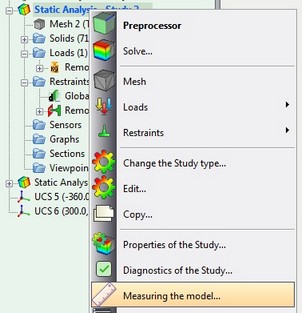
Retrieving the command from contextual menu
The command has three modes and allows the following types of measurements:
• Geometric measurements - the volume and mass of bodies, the surface area, the length of the edges.
• Distance between two points of the model
• Distance from point to geometry (edges, faces)
Depending on the mode selected, the dialogue and command options are changed.
See also: Measuring Geometry, Distance between two points, Distance from Point to Geometry, Physical Properties