 |
 |
 |
 |
 |
 |
AutoFEM Analysis Diagnostics of Study |  |
|
|
|
|
|
|
AutoFEM Analysis Diagnostics of Study | |
The specific command, 3D Model (Study) Diagnostics, is designed to help the user find erroneous objects in the set of objects for FEA or study and test the correctness of a 3D model of a structure from the point of the finite-element modelling on the whole. An invitation to run the command is automatically shown if the Preprocessor finds mistakes after the end of the mesh creation process.
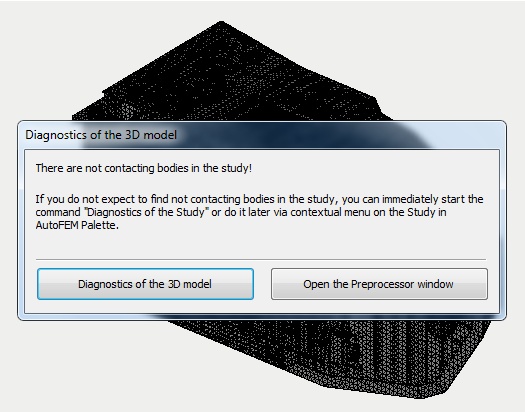
Invitation to run the command "Diagnostics of Study" if the system finds errors
For the active study, this command is also available in the context menu in the study tree.
Command Line: |
FEMATASKDIAGNOSTIC |
Menu: |
AutoFEM | Diagnostics of the Study |
Icon: |
|
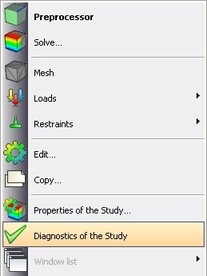
Contextual menu on Set of objects for FEA (left) and Study (right)
In all modes of work of the diagnostics command, the drop-down list "Group of the bodies" allows you to select the group of erroneous objects, while the list Geometry reflects names of the objects in the selected group.
The following diagnostic modes are available:
•Show contacts between the bodies
•Checking the 3D model geometry
See also: Requirements for 3D Model, Set of objects for FEA
